Keep the menu readable
Show the core drinks and food in text, using names and prices you approve. Mark seasonal items clearly and avoid promising that every item is always available.
One page, built by Matt
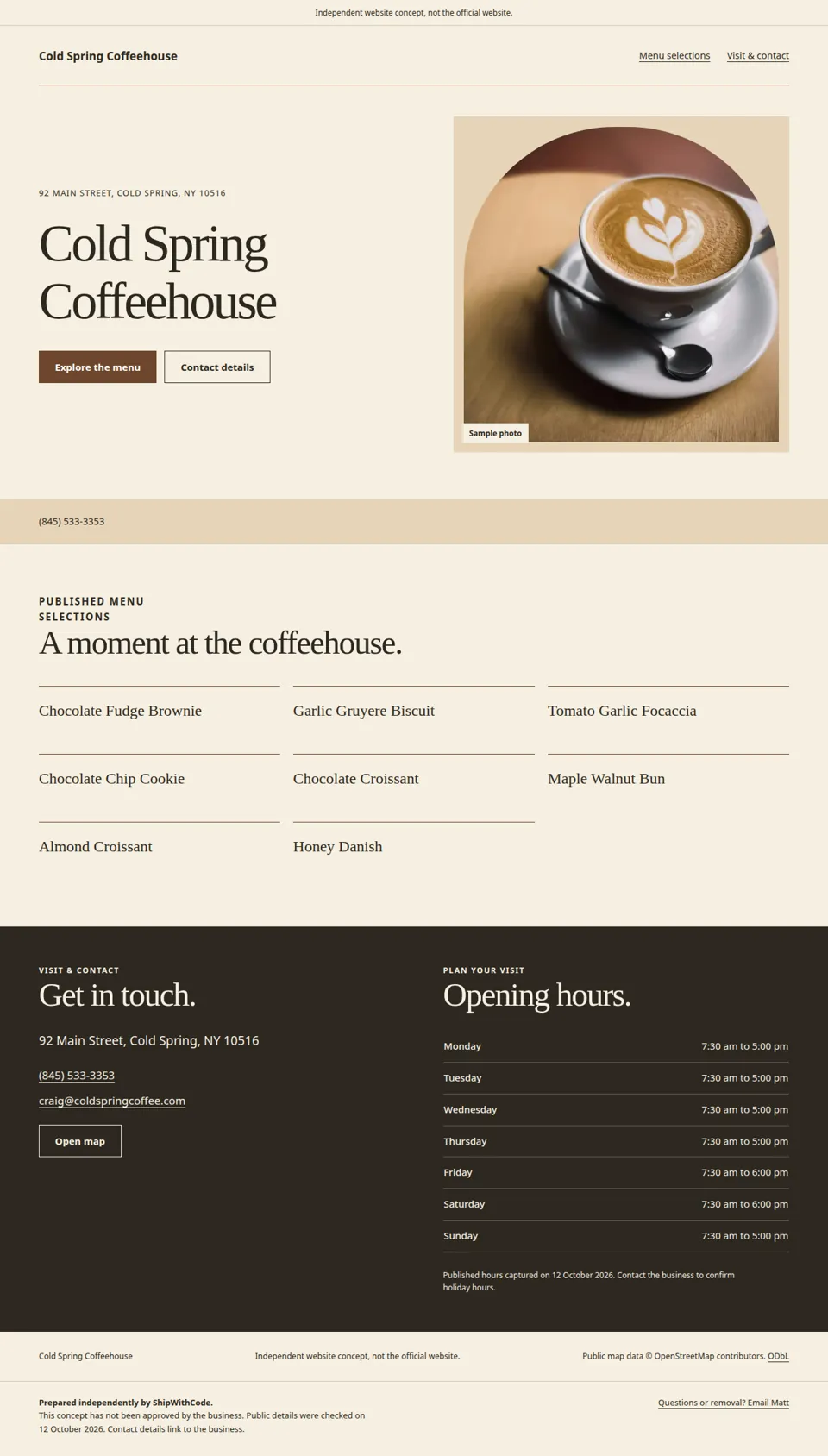
A coffee shop website should make your menu, opening hours and location easy to check before a visit. I build a simple page with those details, your approved photos and a link to online ordering if you already offer it.
Last updated: · By Matt Fehrsen
My first 5 clients pay $200 once, then $10 a month for life. After that it is $299 once + $15 a month.
You get 6 free design options and pay nothing until you love the design.
My suggested approach
I would put the visit details where someone can find them, then let your own menu and photos do the talking.
Show the core drinks and food in text, using names and prices you approve. Mark seasonal items clearly and avoid promising that every item is always available.
Show your regular opening hours, address and a map link. Include useful access or parking notes only when you have checked them. Date temporary holiday hours so they do not look permanent.
If you already take online orders, make that link easy to find. If you do not, focus the page on visiting or contacting you instead of showing an ordering button that cannot work.
Before I build
A concise menu and current hours are enough for a useful first version.
Include the exact entrance or unit details visitors need.
Choose the items you want to keep up to date on the page.
Mark holiday changes with dates rather than replacing regular hours ambiguously.
Send public links you already use and want customers to follow.
Use images you can publish. Confirm any accessibility, parking or seating details before including them.
No invented amenities. I will not add claims about Wi-Fi, wheelchair access, outdoor seating or dietary options unless you confirm them. A custom ordering system is outside this offer.
The offer
Email me your business name and what you do. Send your approved details and any page you already use.
I email you 6 free design options to choose from. Reply with what you want changed.
You pay nothing until you love the design. After you pay, your website and email go live the next day. Your Google listing takes a few more days, because Google checks your business first.
A mobile-friendly site on your own domain (like yourbusiness.com), a matching email address (like [email protected]) that works in your Gmail, and your Google Business Profile set up. The monthly fee covers hosting, security and small updates. Everything happens by email, no calls.
I'm Matt Fehrsen, the founder of ShipWithCode, and I build every site myself.
Offer and builder details: ShipWithCode pricing and about Matt. Sample source: Cold Spring Coffeehouse independent concept.
Questions
Yes. Send the menu text and approved prices and I can lay it out on the page. We can also link to an existing PDF if you want.
Yes. The website can link to its public order page. I am not replacing its checkout or order management.
Email me the dates and hours for a small edit. Include when the temporary change ends so the page can return to your regular schedule.
My first 5 clients pay $200 once, then $10 a month for life. After that it is $299 once and $15 a month. You get 6 free design options and pay nothing until you love the design.
Your website and email go live the next day after you pay. Your Google listing takes a few more days, because Google checks your business first. Everything happens by email with me, Matt Fehrsen. I build every site myself. No calls.
Don't love it after it's live? You get every dollar back within 30 days.
No. I cannot promise rankings, traffic, customers or a mention in ChatGPT, Perplexity or Google AI Overviews. I build a clear website with the information you approve.
Tell me your business name and what you want on your site. I read and reply myself, by email.